

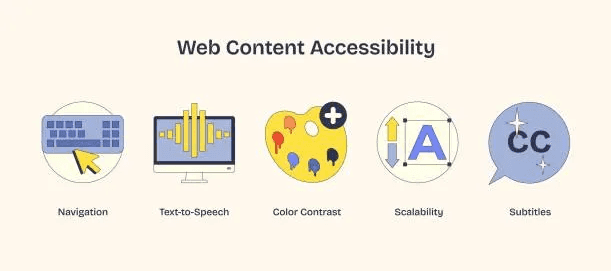
Your product isn’t done without accessibility. If accessibility isn’t considered from the start, someone is being excluded by default. Accessibility is a right, not a privilege.
Yet accessibility is often treated like a checklist item — something to “add later.” A feature to ship after the "real work" is done, or a compliance task to rush through.
That mindset is flawed. Features are optional. Accessibility isn’t.
Imagine this Scenario
A user opens your web app to make a booking. They navigate using the keyboard instead of a mouse. Suddenly, they’re stuck. Focus jumps unpredictably, and there’s no clear way forward.
At the same time, another user tries to read a thought-provoking article you just published — using a screen reader. The content isn’t readable; headings aren’t announced correctly. Navigation is confusing.
The feature technically works. But for these users, your product is unusable. That’s real revenue lost due to negligence. This is what happens when accessibility is treated as an afterthought.
In Germany alone, around 7.9 million people have a recognized severe disability, amounting to roughly 9–10 % of the population — many of whom may rely on keyboards, screen readers, or alternative input methods to access the web and may experience barriers on many digital interfaces. - Destatis
If a user can’t navigate your app with a keyboard, understand content with a screen reader, or interact with UI elements clearly, the product is broken for them. That’s not missing functionality, that’s exclusion.
What Accessibility Really Means
Accessibility means designing and building products that everyone can use, including people with:
-
Visual impairments
-
Hearing loss
-
Motor limitations
-
Cognitive differences
-
Temporary disabilities (like a broken arm)
-
Situational constraints (bright sunlight, noisy environments, slow devices)
Accessibility isn’t about edge cases. It’s about real people, in real situations every day.
Legal and Business Reality
Accessibility isn’t just ethical, it’s practical.
-
Many regions enforce accessibility standards (like WCAG)
-
Lawsuits over inaccessible websites are increasing.
1,202 digital accessibility-related lawsuits were filed in the United States in 2024. (Source: Accessibility.com) -
Public sector and enterprise clients require compliance
-
Excluding users means losing customers
Building accessibility from the start reduces legal risk and expands your audience.
What Accessibility Means for Developers
For developers, accessibility shows up in everyday decisions. It starts with choosing the right elements. These decisions shape how components are built and how users experience your application.
-
Using semantic HTML instead of div-heavy markup
-
Making sure all interactions work with a keyboard
-
Labeling inputs and buttons clearly
-
Managing focus when content changes
-
Providing meaningful error messages.
Avoid hiding error messages withdisplay: none— use conditional rendering or visibility
<!-- Valid input state -->
<label for="email">Email</label>
<input id="email" type="email" />

<!-- Invalid input state  -->
<label for="email">Email</label>
<input
  id="email"
  type="email"
  aria-invalid="true"
  aria-describedby="email-error"
/>
<div id="email-error" class="error">Please enter a valid email address</div>
Notice that aria- wasn't needed in the valid input state. Native HTML already solves keyboard interaction, focus behavior and screen reader announcements.
The “ARIA Everywhere” Trap
When accessibility issues surface, a common reaction is to add ARIA attributes everywhere.
<div role="button" tabindex="0" aria-label="Submit form">Submit</div>This often feels like progress, but it usually isn’t.
ARIA is not a replacement for semantic HTML. Misusing it can actually make accessibility worse by overriding native browser behavior or confusing screen readers.
The first rule of ARIA is simple:
Don’t use ARIA if native HTML already does the job.
The Real Cost of Adding Accessibility Later
When accessibility is postponed, it becomes expensive and fragile.
Teams end up:
-
Rewriting components that weren’t built semantically
-
Refactoring layouts to support keyboard navigation
-
Patching issues to meet compliance deadlines
-
Introducing regressions while fixing basic flows
This creates accessibility debt - technical debt that directly impacts users. Just like performance or security, accessibility is hardest to fix after the foundation is already laid.
Accessibility Improves Products for Everyone
Accessible products are better products. Here’s the part many teams miss:
-
Clear headings help screen readers and skimming users
-
Good color contrast improves readability for everyone
-
Keyboard navigation benefits power users
-
Descriptive error messages reduce support tickets
-
Simple language improves comprehension across cultures
Accessibility forces clarity, and clarity makes systems stronger.
Accessibility as Core Architecture
Accessibility decisions shape architecture from the start:
-
How focus and state are managed
-
How layouts adapt and respond
-
How interactions are announced to assistive technologies.
These are foundational choices. Treating accessibility as core architecture ensures inclusive behavior is built in, not bolted on.
Accessibility also isn’t owned by one role. It’s a shared responsibility:
-
Designers ensure clarity, contrast, and structure
-
Developers use semantic HTML and accessible components
-
Product teams prioritize inclusive user flows
-
Leaders set accessibility as a non-negotiable standard
When everyone owns it, accessibility becomes natural, not forced.
Final Thought
Accessibility is not a feature to add later.
It’s the foundation for building software that works for everyone — keyboard users, screen reader users, mobile users, and people facing temporary or situational limitations.
Start with it, design for it and ship with it, because inclusion should never be optional.
Read my article on Building Accessible Web Apps to learn more.
